Resettle Controls & UI
Read every panel — settlers, happiness, Crowns, and Booster live in the UI.
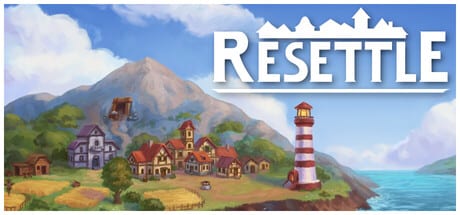
Resettle is mouse-driven and paced for thoughtful placement rather than hotkey combos. This controls and UI guide explains the panels you will use every run so you never stall because a settler button or happiness readout was hiding in plain sight. Pair it with Getting Started for the first-hour build order.
Platform context: PC Windows via Steam, single-player, developer Lukas Osouch, released November 20, 2026.
Core loop actions
You will repeatedly:
- Select a building from the build menu.
- Preview adjacency bonuses on the island grid.
- Confirm placement (spending resources and a settler slot).
- Assign or move the Booster focus overlay.
- Open the settlement panel to spawn settlers and check happiness.
- Buy upgrades with gold across multiple upgrade systems.
- Track milestones for Crowns.
- Prestige when ready and spend Crowns on the Prestige Tree.
If any step feels unclear in-game, match it to the sections below.
Island map & placement preview
The island is a top-down grid with terrain types: forest/trees, water, rock/mountains, and open buildable ground. When you ghost a building over a tile, watch the preview numbers — cottages show happiness per adjacent forest, harbors show value per water tile, lumberjacks and hunting lodges scale with nearby trees.
Never confirm a placement without reading that preview. The buildings guide lists synergies; the UI is where you verify them live.
Relocation tools appear through upgrades or guided prompts. Use them to fix early mistakes once available instead of living with a one-tree cottage forever.
Build menu
The build palette lists housing, food, material, gold, happiness, and industrial buildings unlocked by settlement level. Greyed options usually mean missing resources, settlers, or settlement level. Check currencies before assuming a bug.
Unlock order is gated: early cottages/wheat/lumberjack/stone/harbor, then level 2 hunting lodges, gold mines, parks, then later quarries, steel/iron, markets, tax collectors, and workshops. See the buildings tier list for priority once options appear.
Currencies bar
Typical readouts:
- Food — spent to spawn settlers.
- Wood — construction and upgrades.
- Stone — construction and upgrades.
- Gold — upgrades, settlement levels, many costs.
- Settlers — available people for new buildings.
- Crowns — Prestige currency for the permanent tree.
Later industrial goods (iron, steel, tools) appear as those chains unlock. If gold is high but you cannot build, look at settlers and materials first.
Settlement tab: happiness & settlers
Open the settlement panel to:
- Spawn settlers for food
- Read current happiness and the production multiplier it grants
- Raise settlement level when you can afford the gold sink
- Review milestones tied to buildings, upgrades, happiness, and Crowns
High happiness stating that buildings produce a large percent more resources is your global buff. If that percent is low, fix parks and tree cottages before buying random production nodes. Full advice: Happiness & settlers.
Booster / focus tool
The Booster is an assignable focus you place over buildings to increase production speed. It runs automatically — no click-hold required. Move it from the same tool when bottlenecks change. Size upgrades expand coverage; strength upgrades deepen the multiplier.
UI tip: after enlarging the Booster, visually confirm your best producers still sit inside the overlay. Buildings outside the focus get zero benefit. Deep dive: Booster guide.
Upgrades panel (ten systems)
Gold purchases land in multiple upgrade families — happiness, Booster, production, costs, settlers, industry, and related systems. Buy affordable ranks often. The panel is also where you notice which resource type is gated (stone upgrades greyed out means produce more stone).
Shopping order: Upgrade priority tier list.
Milestones & objectives
Milestones track goals such as number of buildings, upgrades bought, happiness reached, or settlers spawned. Completing them awards Crowns and teaches the systems. Glance at milestones after every settlement level; sometimes a park or a few cheap upgrades finishes a Crown objective faster than another gold mine.
Prestige screen & Prestige Tree
When you choose Prestige, the island run ends and you enter the Prestige Tree shop. Crowns buy permanent nodes. Confirm you are ready — buildings and run gold do not carry over. Tree bonuses do. Guide: Prestige Tree & rebirth.
Mouse & accessibility notes
Resettle supports a comfortable mouse-only flow and play-at-your-own-pace design (no frantic timed inputs required for the core loop). Volume controls and standard Steam overlay features work as usual. For hardware minimums and Steam Cloud, see System requirements.
First-session UI checklist
- Find build menu and place a tree cottage.
- Assign Booster to that cottage.
- Place wheat fields; open settlement tab; spawn settlers.
- Note happiness percent multiplier.
- Find upgrades panel; buy a cheap production or Booster rank.
- Locate milestones and Crown count.
- Remember where Prestige will appear when the run matures.
Related pages
- Tools Hub
- Getting Started
- Guides Hub
- Links — Steam store
Learn the panels once and every later guide becomes easier to execute under time pressure.
Frequently Asked Questions
Quick answers about settlements, Boosters, and Prestige.
How do I move the Booster in Resettle?
Select the Booster/focus tool and assign it to a new building or area. It keeps working automatically after you place it.
Where is happiness shown?
In the settlement panel. High happiness lists a percent bonus to building production across the island.
What are Crowns used for?
Crowns are spent on the Prestige Tree after you rebirth. They do not buy normal run buildings.
Why are build options greyed out?
Usually missing settlers, resources, or settlement level. Check the currency bar and settlement tab before assuming a lock bug.